Real user research, ready by this afternoon
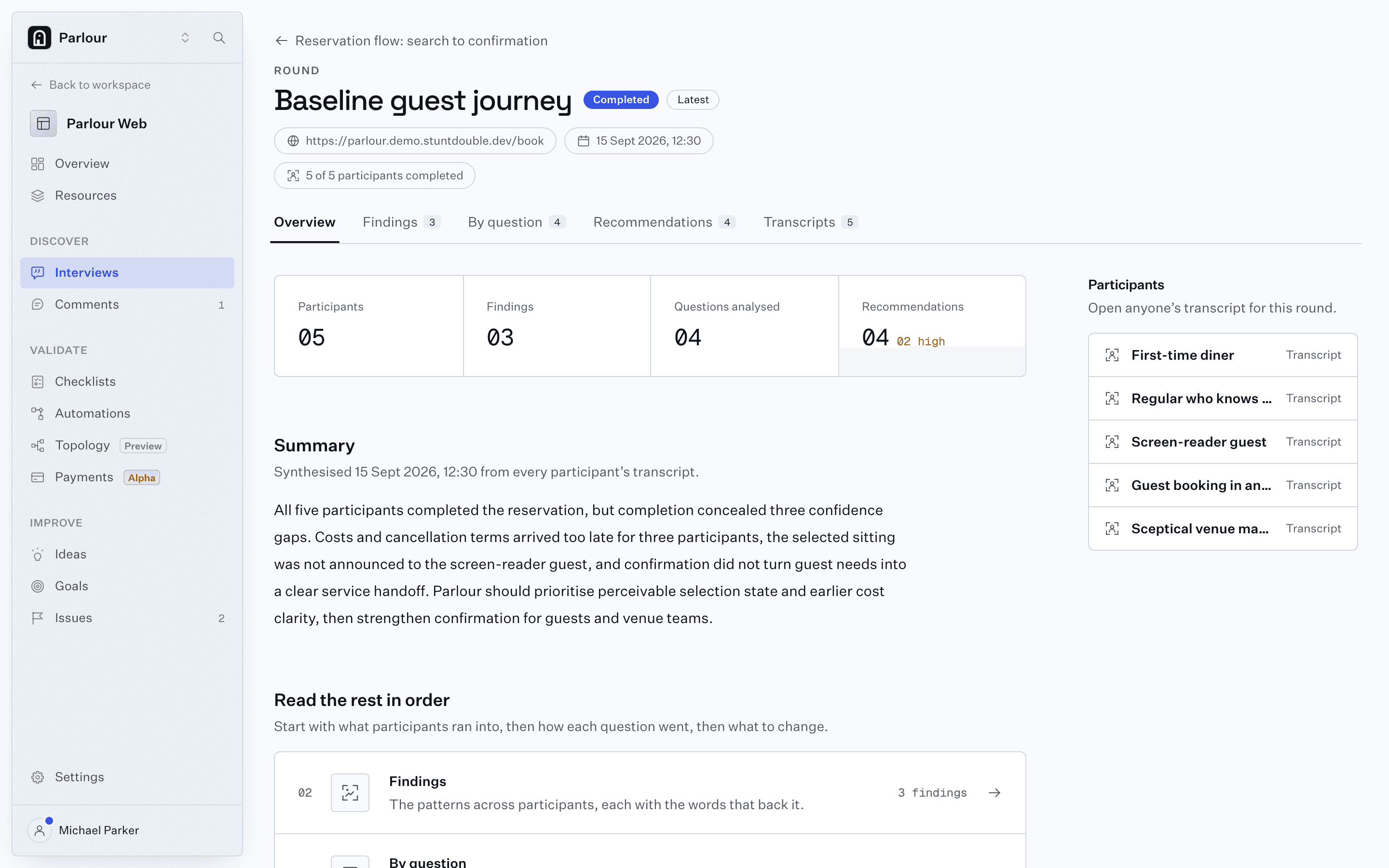
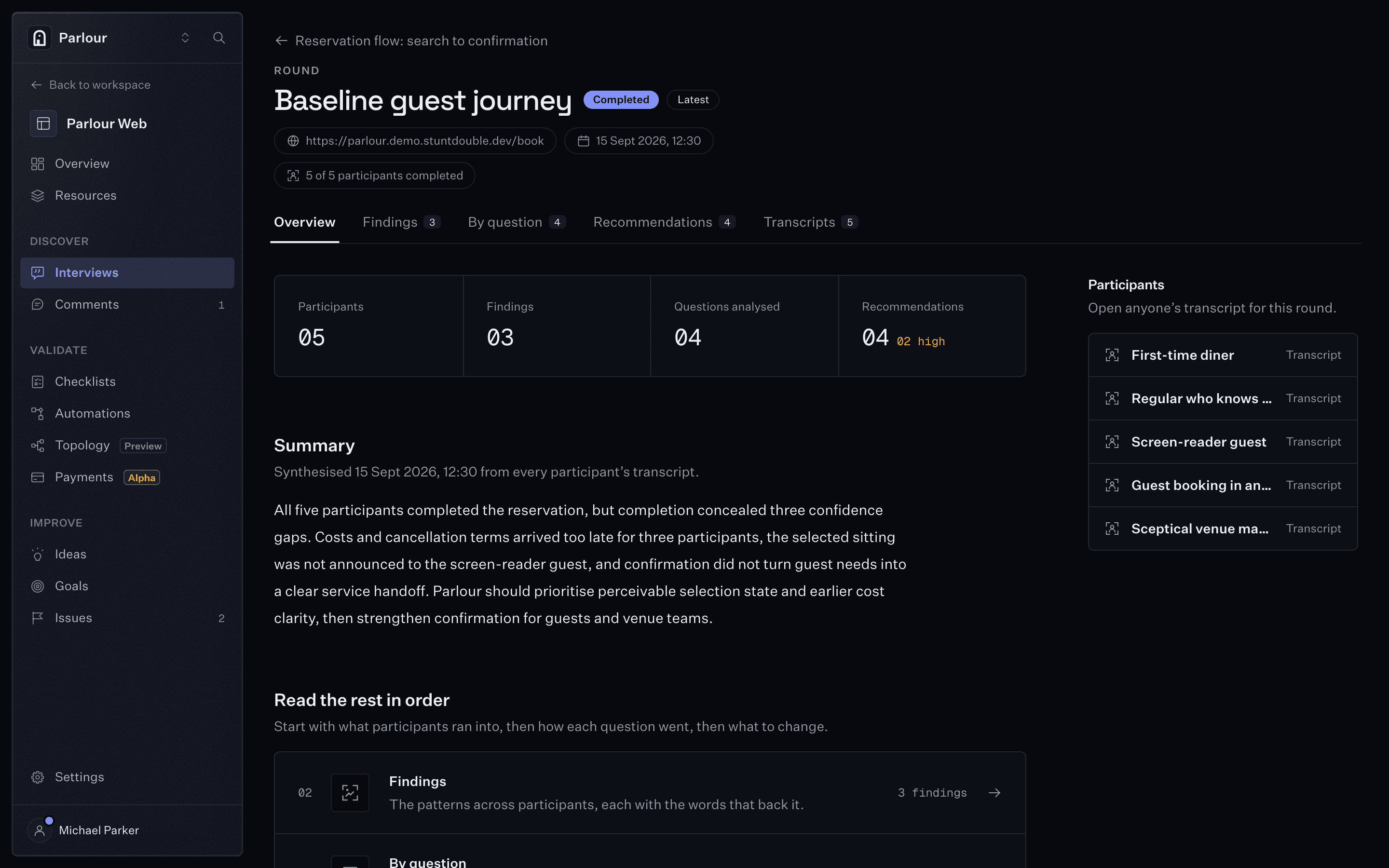
Cast a panel of actors to work through your product in a real browser and report what they did, where they stopped and why. Screenshots attached.
Run the same study on your own product.
Actionable insights
Every theme comes with the sessions behind it: their quotes, screenshots and a highlight video.
Guests need the full cost before commitment3 of 5
- First-time diner
The deposit only became clear at the last step.
- Guest booking in another currency
The amount needs an AUD label before payment.
- Skeptical venue manager
Confirmation must support the next service moment3 of 5
- Regular who knows the shortcuts
- Screen-reader guest
- Skeptical venue manager
Staff need those requests surfaced as structured service notes.
Selection state is not equally perceivable1 of 5
- Screen-reader guest
The selected time was not announced.
From a question to a report in five steps
We handle the slow parts. The judgement stays yours.
Step 1: Start with a question
Name the decision you need to make. The findings will point back to it.
Step 2: Pick who you want to hear from
A first-time visitor on a phone, a power user, a screen reader user. Each actor keeps their device and memory between rounds.
Step 3: Ask what you want to know
Add questions and tasks, or paste your brief and edit the guide we draft.
Step 4: Point it at your product
Production, staging, a preview deploy or a Figma prototype. Actors can sign in and receive one-time codes.
Step 5: Read the findings, then run it again
Ship the fix and rerun the same guide. The findings and the usability score show what moved.
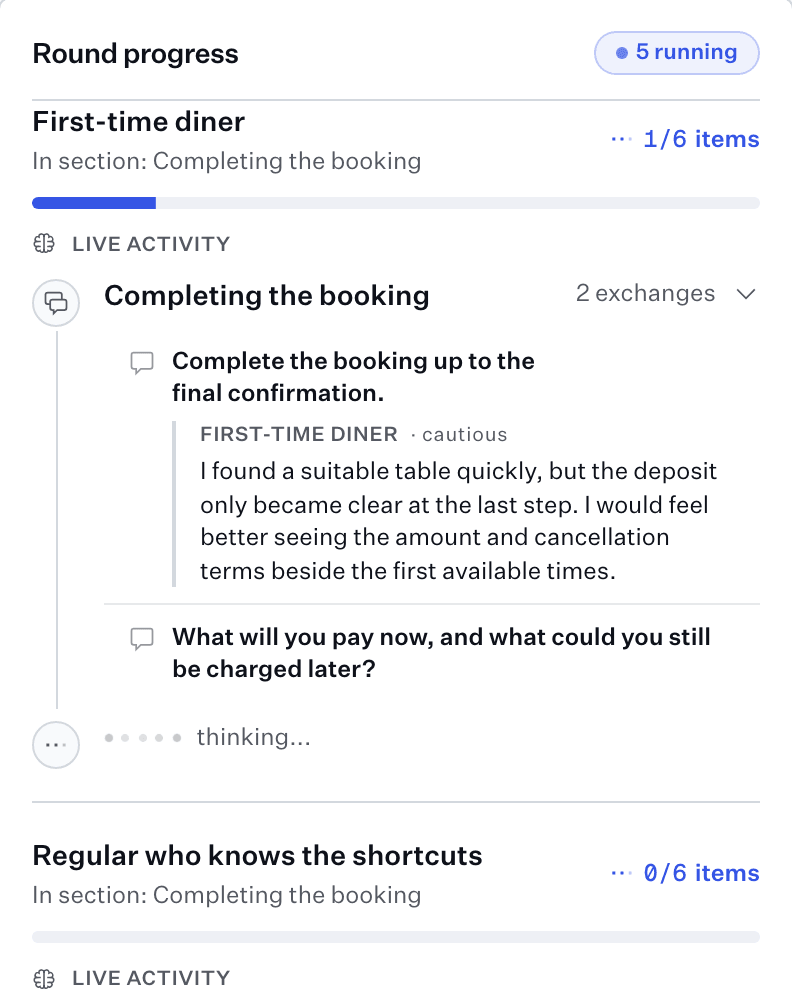
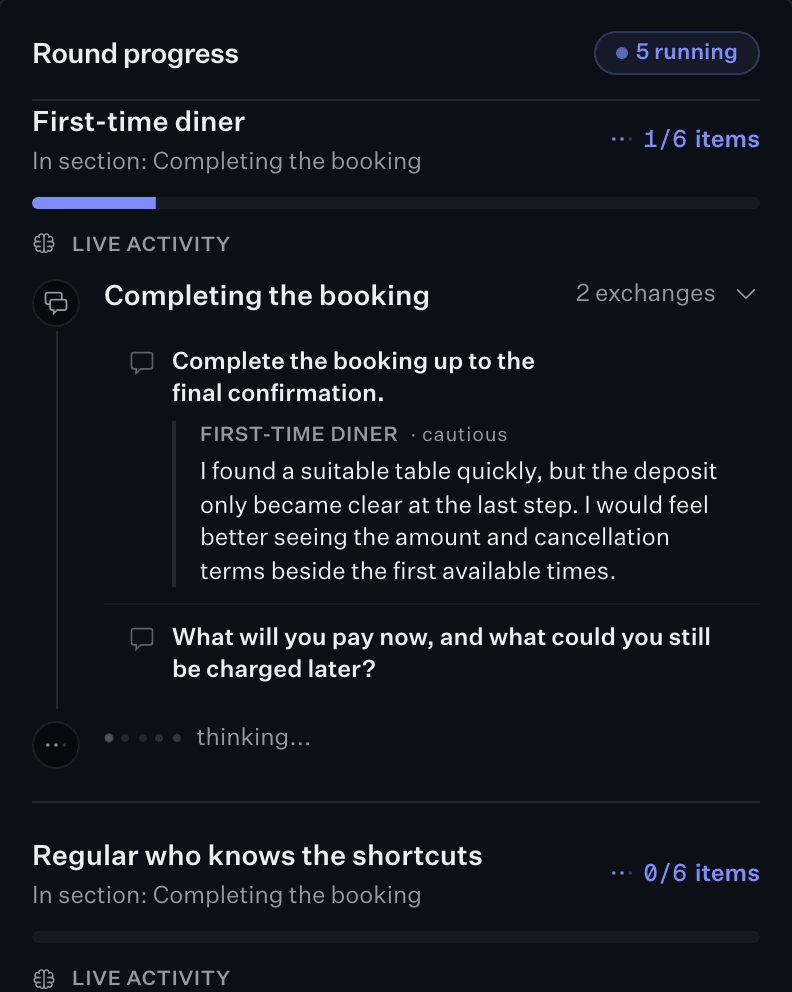
Five interviews, running at once
Participants run side by side, so a five-person round takes an afternoon.
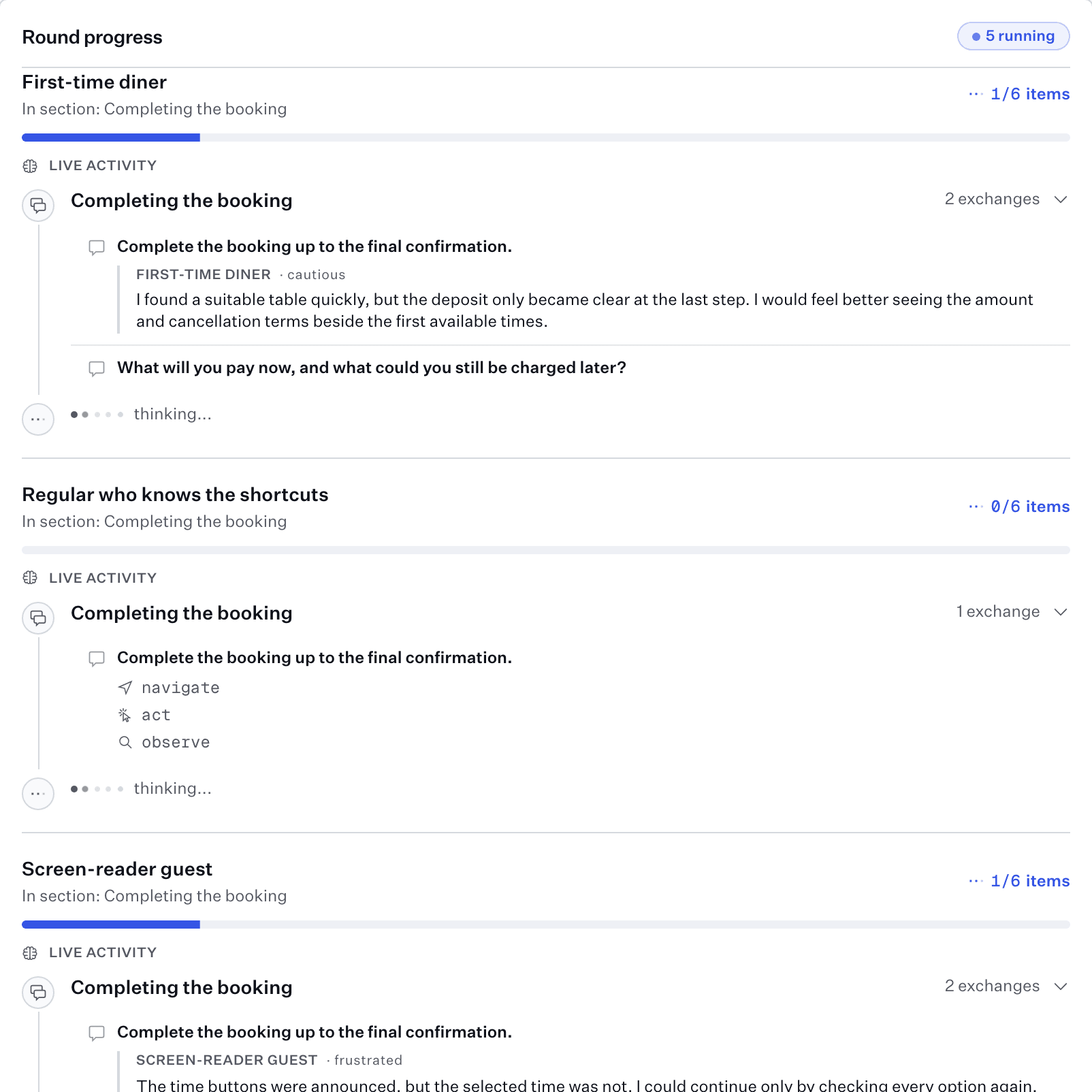
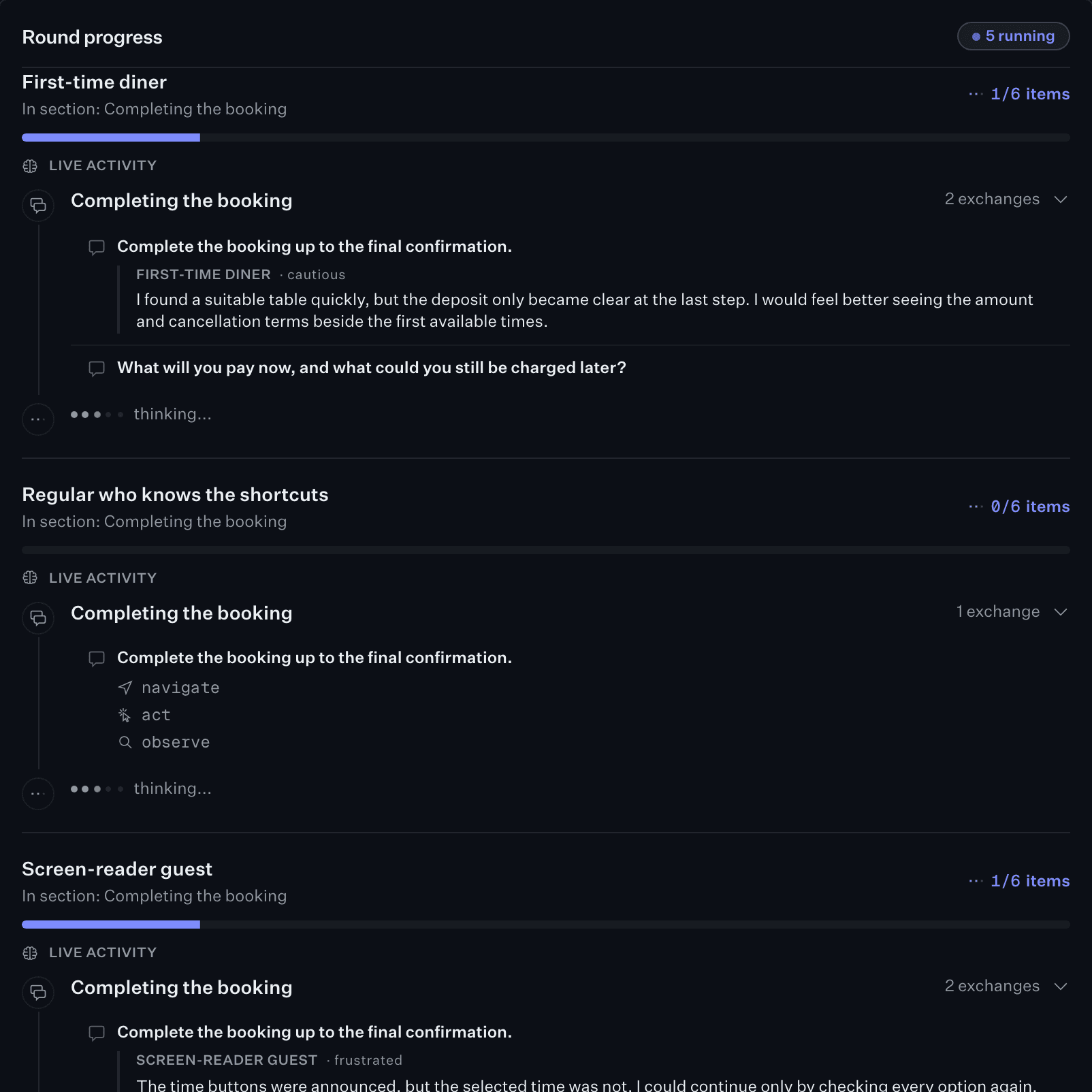
What comes back from a round
Hours, not weeks
Nothing to screen or schedule. The report starts when the last session ends.
Compare round to round
Rerun the same guide on the next build and see what actually improved.
Cast the users you could never recruit
A screen reader user, a slow phone, another currency. Adding one is adding an actor.
Works where you already work
Start a study from the dashboard, Claude, Slack or any MCP client.
A usability score for every round
Each actor closes their session with a standard questionnaire, so every round gets a number you can track.
Standard questionnaires
UMUX or UMUX-Lite, scored like SUS.
Graded on the curve
F to A+, where 68 is average.
Tracked between rounds
See the score move after each fix.
The raters are AI personas, so read the score as a direction between rounds, not a verdict.
- Meets my requirements
- 2 / 7
- Frustrating to useAgreeing counts against
- 6 / 7
- Easy to use
- 2 / 7
- Too much time correctingAgreeing counts against
- 4 / 7
Recruited panel vs Stunt Double
The same five-person round, run both ways, step by step.
- Recruit five participants
- Recruited panel: 5 to 10 daysStunt Double: Minutes
- Run the sessions
- Recruited panel: 1 to 2 weeksStunt Double: One afternoon
- Transcribe and write up
- Recruited panel: 5 to 9 daysStunt Double: Same afternoon
- Score usability
- Recruited panel: By handStunt Double: Scored and graded
- Run it again after a fix
- Recruited panel: Start overStunt Double: Rerun the guide
Your next user is an agent
Some of what goes through your signup, checkout or booking flow is already an agent acting for a person: a shopping assistant, a browser agent, an automation filling the form. It reads your labels, follows your focus order and gives up on the same steps a screen reader does. Nobody is watching it try.
Cast an agent as the user
An actor is an agent driving a real browser. Give it the task an assistant would be given, and watch it attempt your flow: every page, every field, and the step where it stops.
Every run, on the record
Every run is a sequence you can read: the pages it opened, the actions it took, the decisions it made and the moment it gave up, with a screenshot at each step. Put a checklist in the deploy loop and it runs on every change.
Serve both kinds of user
The fixes are mostly the same ones that help a screen-reader user: labels that say what a control does, selection that is announced, costs shown before commitment. One round finds them for people and agents at once.
Make every conversation with a customer count
Actors cover the ground first, so your time with people goes on what only they can answer.
Actors enable
Answers you can get today.
- Onboarding, signup and checkout
- Pricing, copy, labels and errors
- Prototypes, before you have users
- Accessibility, devices and locations
- Checking that a fix actually fixed it
More impactful conversations
Worth their time, and yours.
- Whether they would actually pay
- Deep expertise you cannot write down
- Culture and emotion
- The follow-ups your round surfaced
FAQs
Is this the same as asking a chatbot what it thinks of my site?
No. A chatbot reads your page and gives you an opinion. An actor opens a real browser, works through your guide, presses your real buttons and runs into your real errors. Then it tells you what happened, and you can watch the session yourself.
How realistic are the actors?
Each one has a background, a location, a device and things they already know, and you can add to that: research you have already done, common support questions, a customer segment. Use the same panel across studies and your results stay comparable over time.
What can I test?
Anything with a link. Production, staging, a Vercel preview, a published Figma or Figma Make prototype, a Claude artifact or a v0 link. Actors can sign in with a login you give them, and each has an inbox for confirmation emails and one-time codes.
How long does a study take?
Participants run at the same time rather than one after another, so a five-person round takes an afternoon. Transcripts come in as they happen and the report is ready when the last session ends.
Do I get a usability score?
Yes, if you turn it on. Each actor rates the UMUX or UMUX-Lite statements from 1 to 7 at the end of their session, and the round gets a score on the SUS scale, a grade and the change since last round. The raters are AI personas, so use it to compare rounds, not as a verdict.
Can I collect feedback from my own team and stakeholders too?
Yes, with inline comments. Add one script tag to your site or staging environment and anyone reviewing a page can press c, click the thing that confused them and say why. Each comment arrives pinned to that exact spot, with a screenshot of what they saw, the page, the screen size and the build. It all lands in the same place as what your actors found, so you have one list to work through rather than two.
Does this replace talking to customers?
It makes those conversations count for more. Actors take care of the ground work, so by the time you sit down with a customer you already know where people stall and what confused them, and you can spend the hour on the questions only they can answer.
Get started
Run your first study
Five participants, one afternoon, and the report when the last session ends.