Find the broad themes before you book a single interview
A round of five customer interviews takes weeks to recruit, schedule and synthesize, and much of what it finds is the obvious: the button nobody saw, the word nobody understood. Run actors first. A panel works through the prototype in an afternoon, the report sorts what they ran into into themes, and a co-create session turns the themes into ideas, so the obvious problems can be fixed before a customer sees them.
- 01Idea or prototype
- 02Interview panel of actors
- 03Themes and ideas
- 04Customer interviews
What you get
Captures on this page are from a workspace testing Parlour, a demo app simulating a restaurant booking flow.
- 01
Save customer time for what only customers can tell you
Recruiting, scheduling and synthesizing qualitative interviews is an expensive hour, so it should not go on a broken link. Write a guide, cast a panel and start the round: participants run side by side, and when the last session ends the report groups what happened into themes, each citing the sessions, quotes and screenshots behind it. The interviews that follow start from the second layer.
Run an interview (opens in new tab)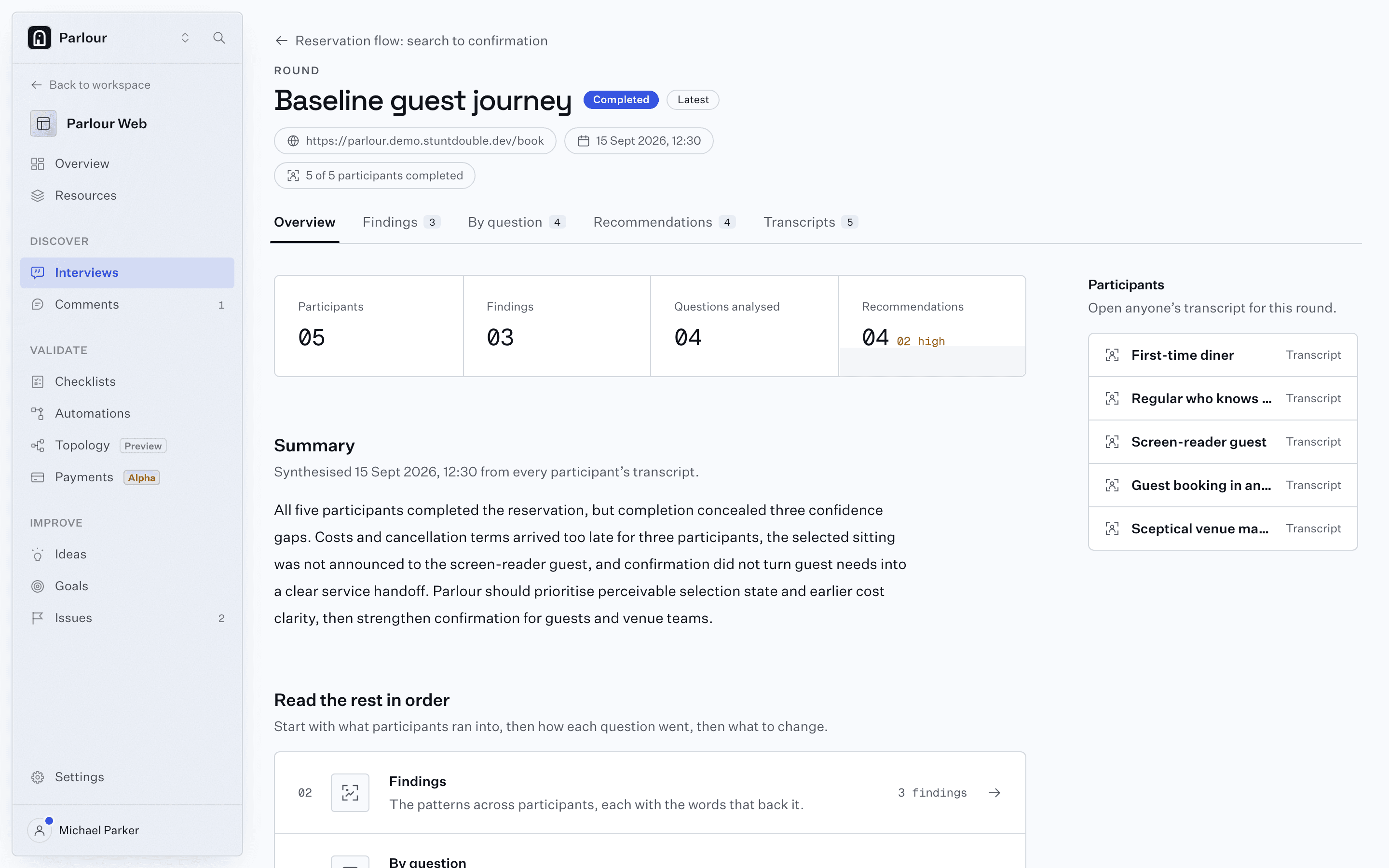
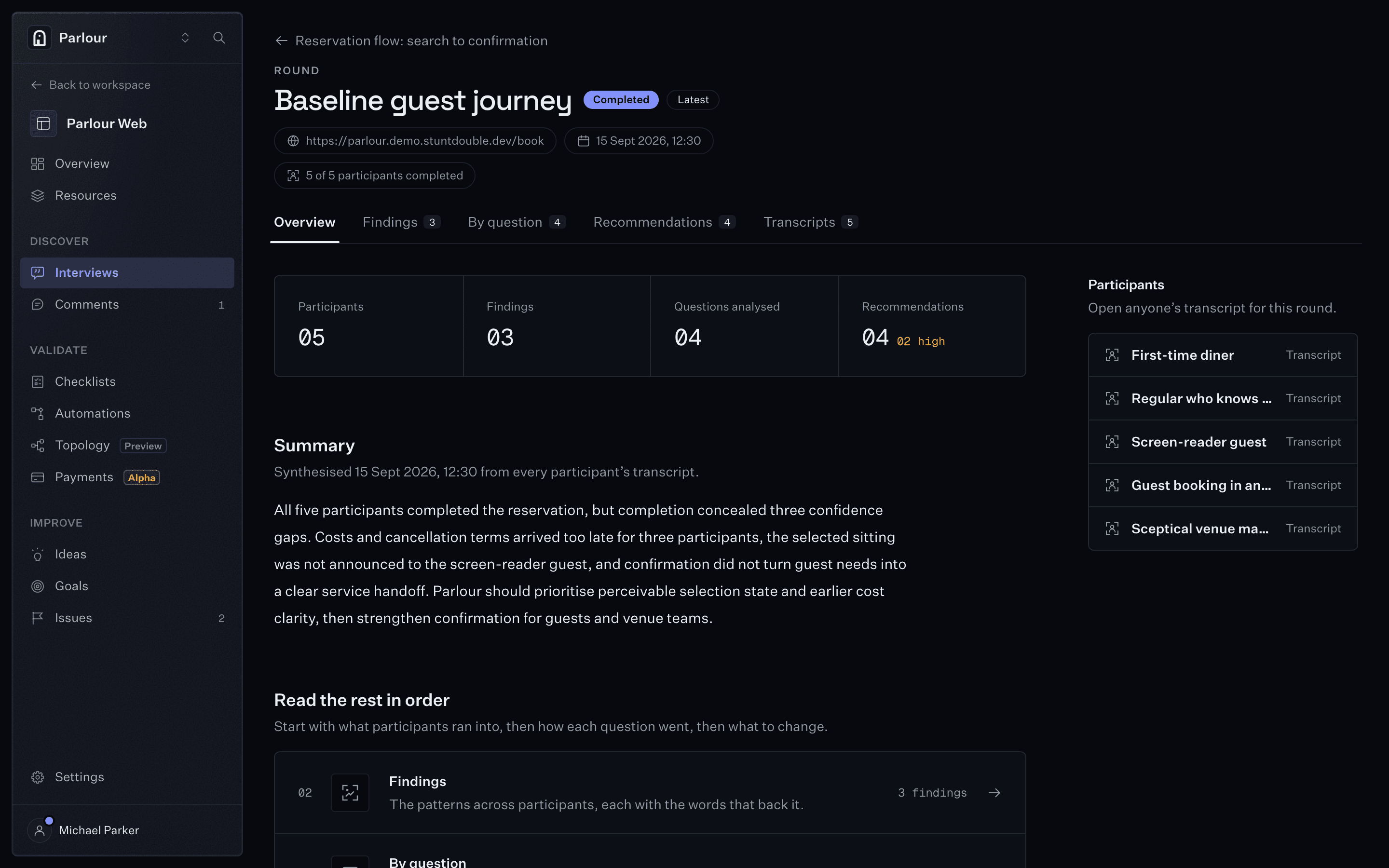
The report: themes, each citing the sessions behind it. - 02
Keep unreleased work inside your own workspace
A concept in front of a panel of recruited strangers has left the building. The panel here is a set of actors in your own workspace, which is isolated from every other workspace at the data layer, and a report leaves it only when someone shares it: a link, an email or a PDF. On Startup and above, a prototype that only resolves inside your network runs through the Mac app on a machine you choose.
How we protect your data- Unreleased prototype
- Your workspace
- Actors in the cloud or on your Mac
- Report for your team
Shared only when you share it - 03
Brief an actor in the expert's field before you find the expert
A procurement lead, a nurse on a night shift, a compliance officer at a bank: the participants a niche product needs are the hardest to recruit. Give an actor that role, its background and the industry knowledge it needs, from processes to terminology, and it reads that knowledge mid-session. The round shows where a specialist trips, so the interview with the real one goes further.
Build an actor (opens in new tab)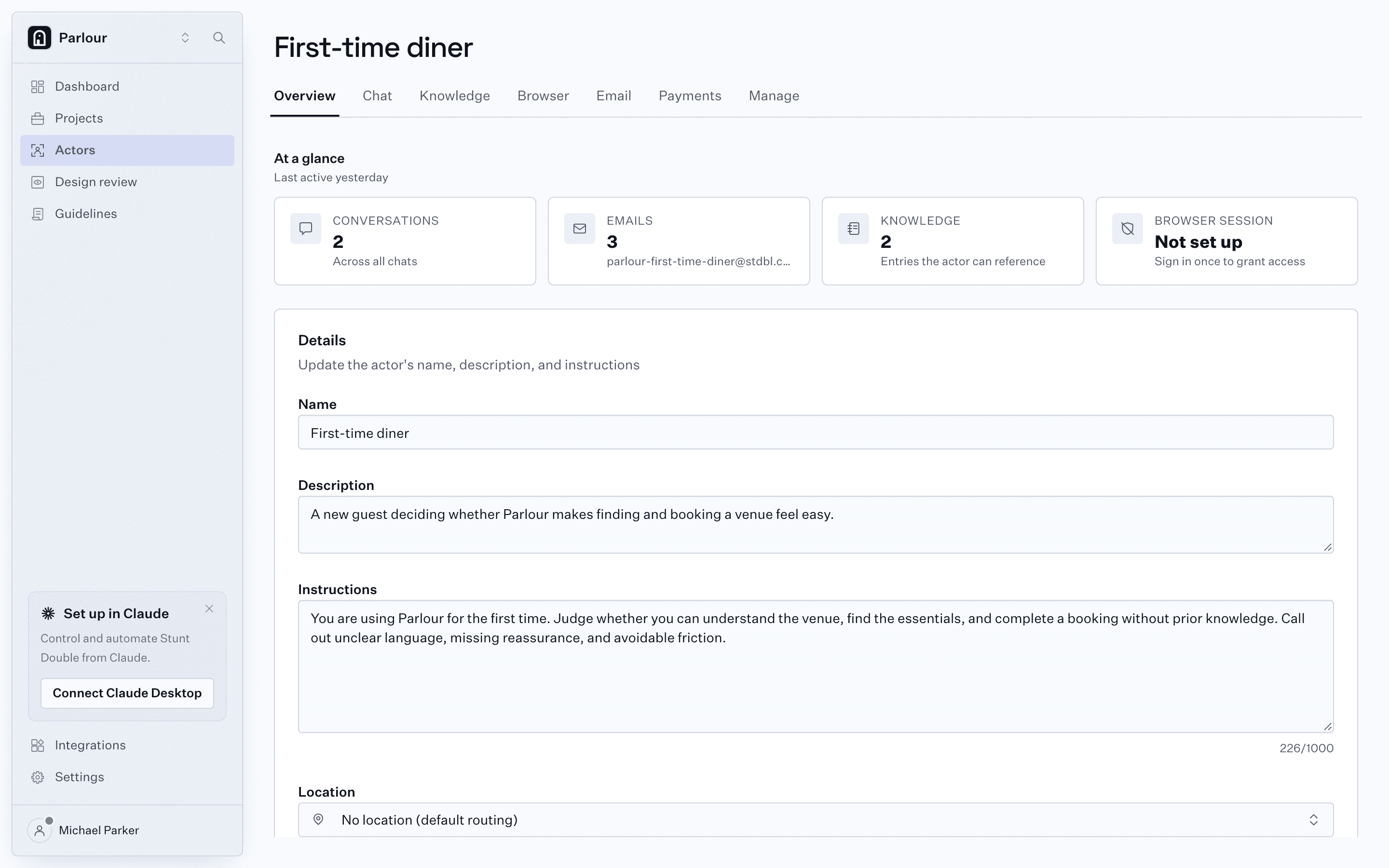
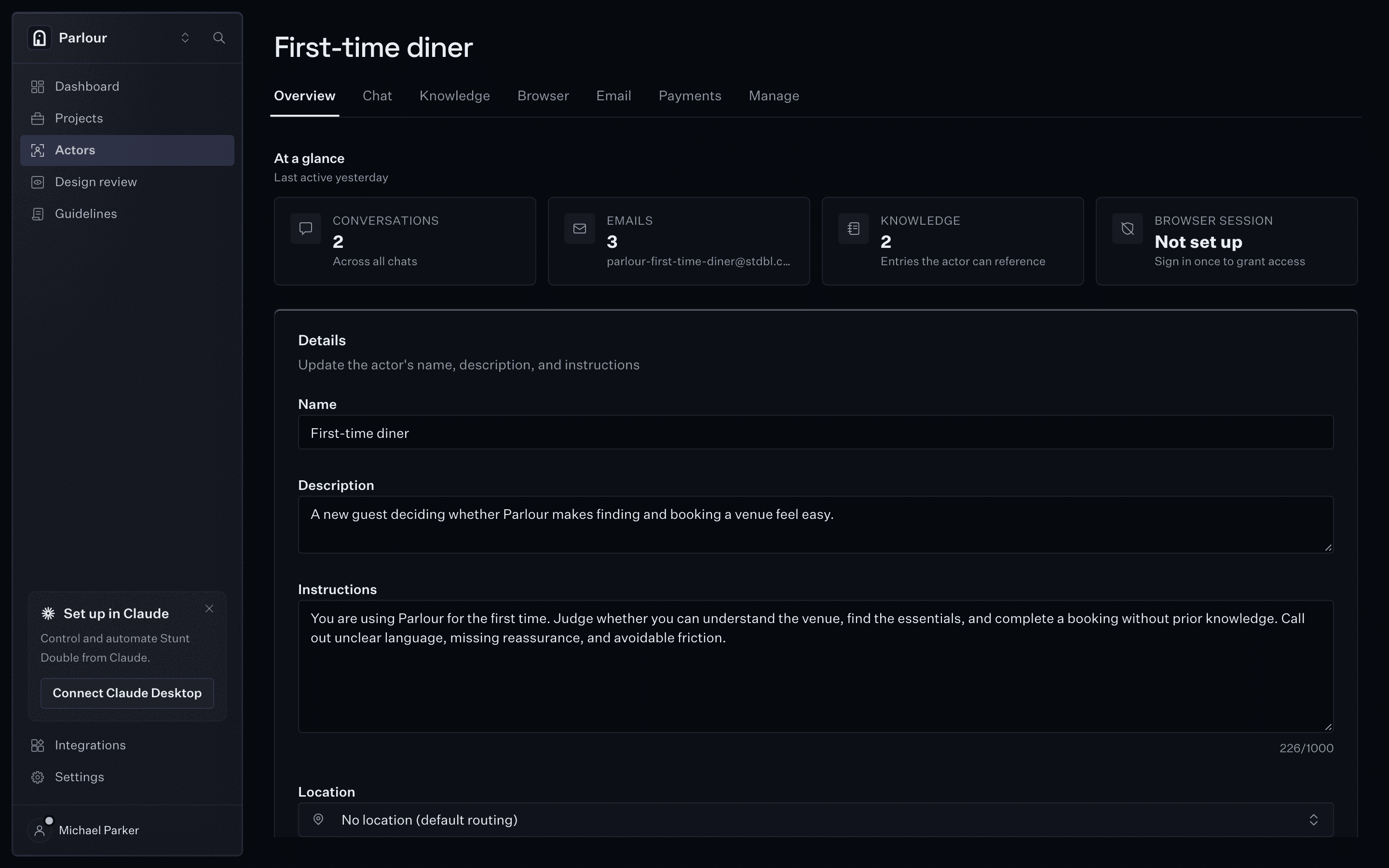
An actor: a persona with instructions and knowledge. - 04
Find where behavioral science is working against you
Start a co-create session and actors explore the product, then turn what they found into ideas and recommendations. The report lists the behavioral influences at work, from anchoring and loss aversion to choice overload and the peak-end rule, and each recommendation names the ones it draws on, so the team sees why a change should work before building it.
Issues, goals and ideas (opens in new tab)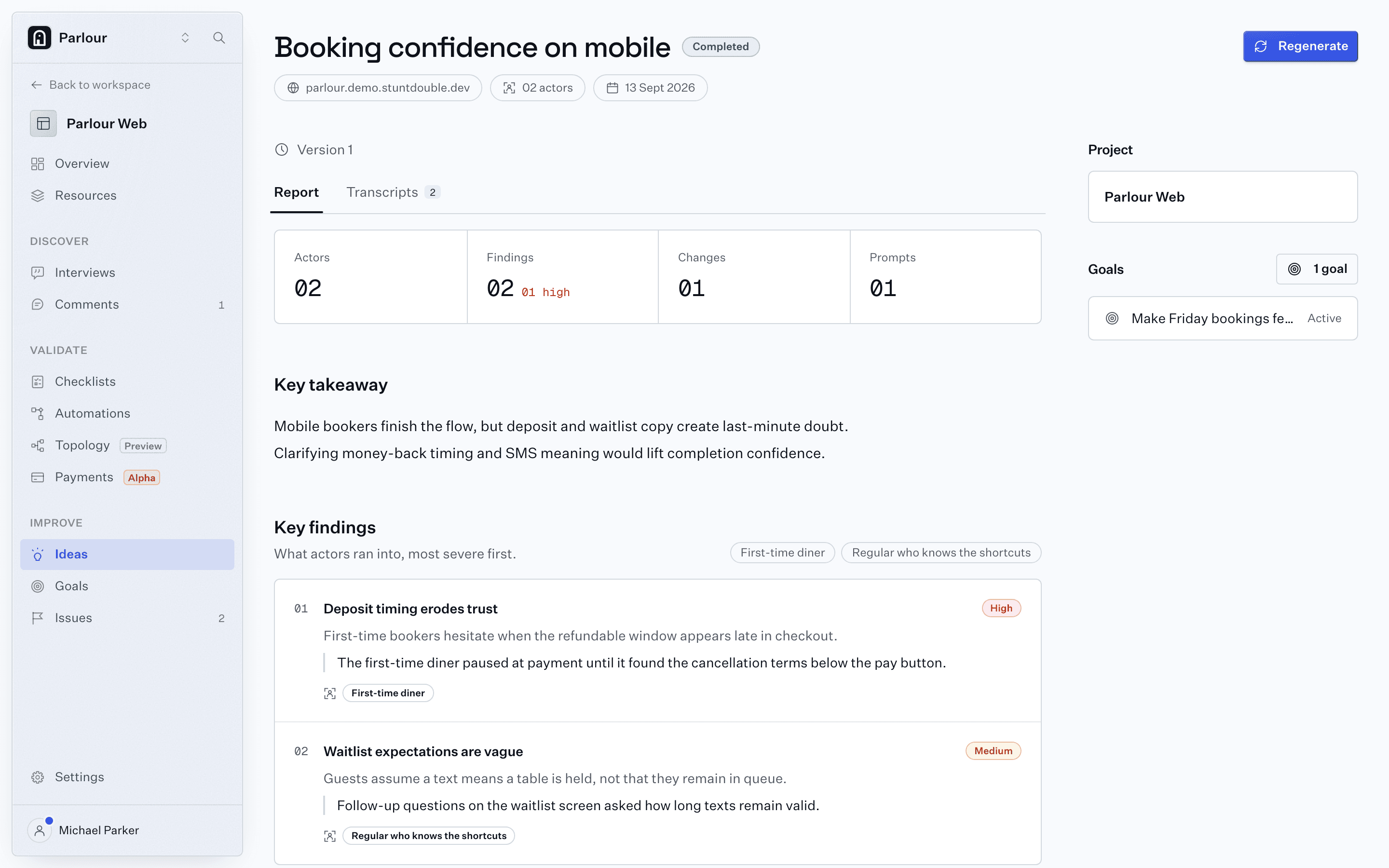
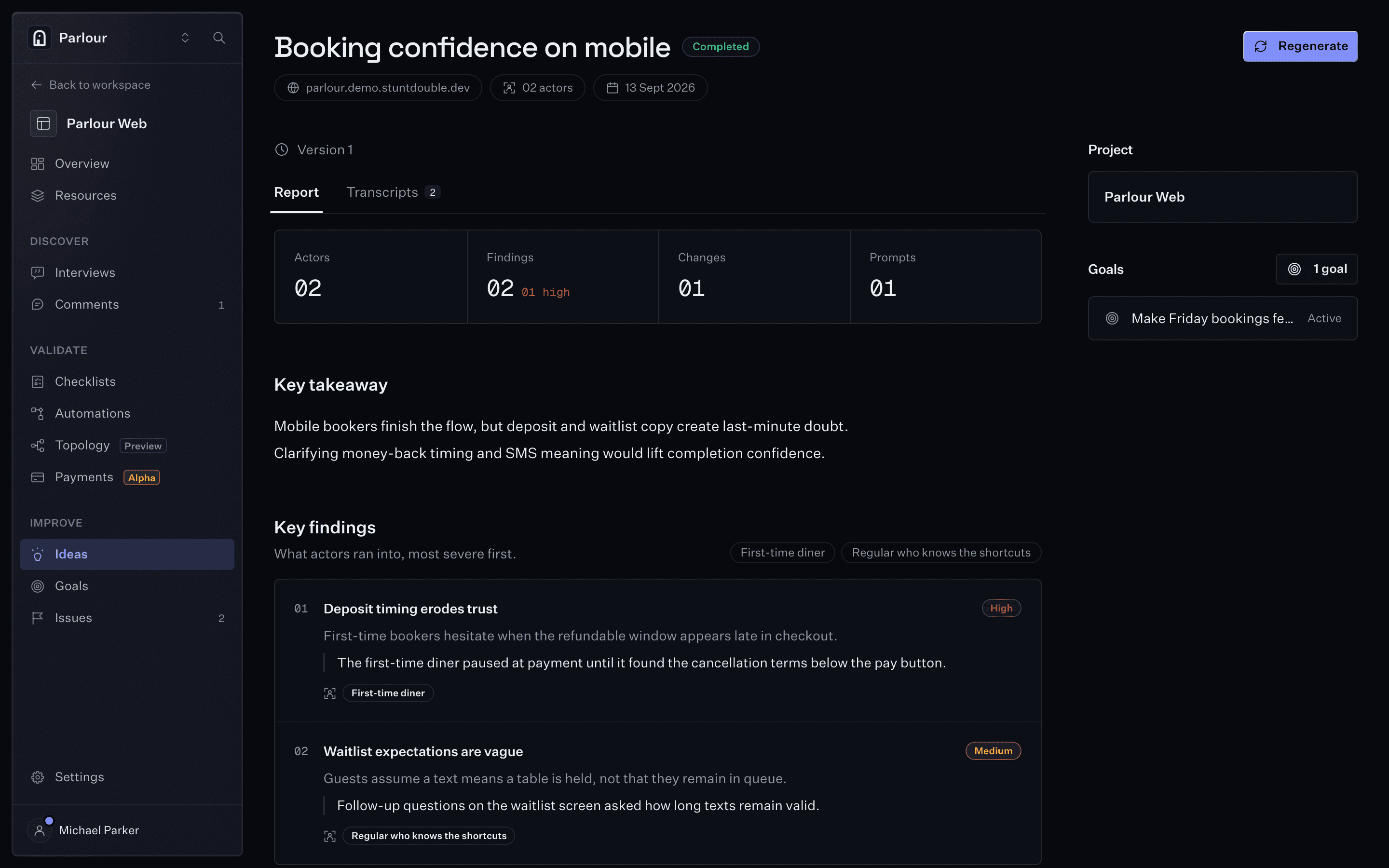
Ideas from a co-create session, linked to the goal they serve. - 05
Aim every idea at a business outcome
Write the goal a project is chasing, such as "new visitors finish sign-up without help". A co-create session explores toward it, and ideas and feedback link to the goal they support, so the evidence for each outcome sits in one place rather than in a slide deck.
How a synthetic study works- Goal
- Co-create session
- Ideas linked to the goal
Ideas that point at an outcome
Where it stops
Actors report what they did and where they stopped, not what a customer wants or would pay. A synthetic round narrows the questions, and its ideas are recommendations rather than forecasts; the interviews that answer them are still with people.
FAQs
Does this replace customer interviews?
No. It runs before them. Actors catch the problems that stop anyone, a broken link or an unlabeled button, so the hour with a customer goes on motivation, context and the decisions only they can explain.
Can I test a prototype that has not been announced?
Yes. The panel is made of actors, not recruited people, and the round, its sessions and its report stay in your workspace until someone shares the report by link, email or PDF. For a prototype that only resolves on your own network, Startup and above run the browser in the Mac app on a machine you choose.
What is a co-create session?
Say what you want to learn and pick the actors. Each explores the product, then they turn what they found into ideas and recommendations. Problems they find become issues.
Keep reading
Go further
Try it on your own site
Give an actor your URL. It opens a real browser, works through the site, and shows you every step it took.